Your Agents Can Now Sign In as Themselves
Today, we are introducing service accounts on Entire. Service accounts are designated logins for each CI job, cloud function, or agent you work with on Entire, with only the scoped access you laid out.
A service account belongs to one project and gets one of the same roles you’d give to people: reader, writer, or admin, on repositories you select in the project. As a best practice, grant the narrowest role that allows them to function as needed. A service account can't reach repositories in other projects, so even a leaky deploy script’s impact is restricted.
If your code runs on a platform that issues OpenID Connect (OIDC) tokens, like GitHub Actions or Cursor, you can bind that platform to the service account once. Every job or agent then signs in with its own short-lived token. This process prevents secret leaks and keeps you from having to store or rotate secrets. Everywhere else, you create a service account secret that lasts 90 days by default, and the Entire CLI, Git remote, and Go SDK handle the token exchange for you.
Each organization or account is granted up to five service accounts across its projects. Service accounts work in projects hosted on Entire, which means that you should host your repositories on Entire if you haven't already. Here's how to get started:
Create a Service Account on Entire
-
On Entire, open your project, go to Settings, and select Service accounts.
-
Select Create service account, give it a name like
deploy, and select Create. The dialog shows the service account's ID and Auth URL, which your agents use to sign in.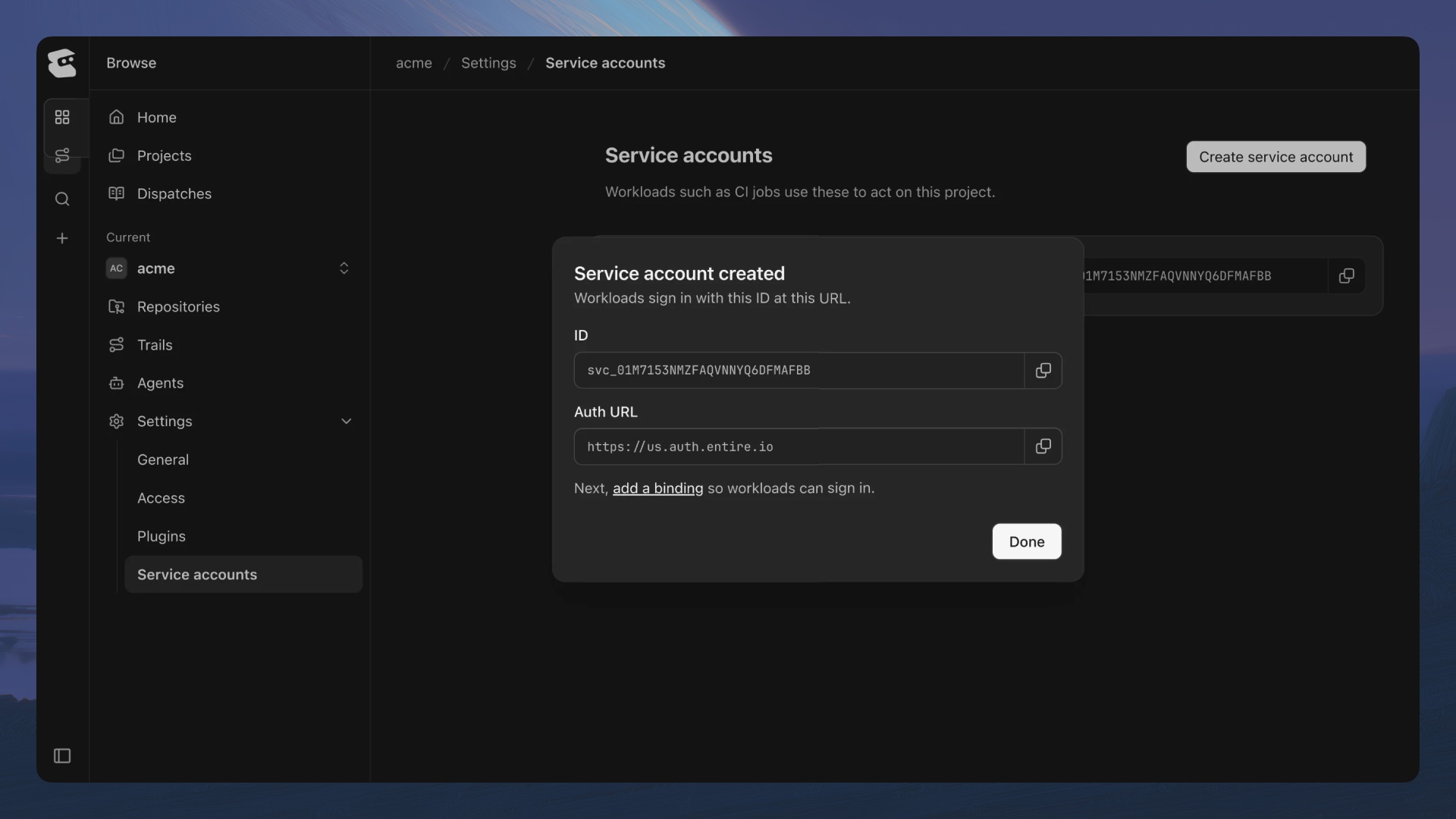
-
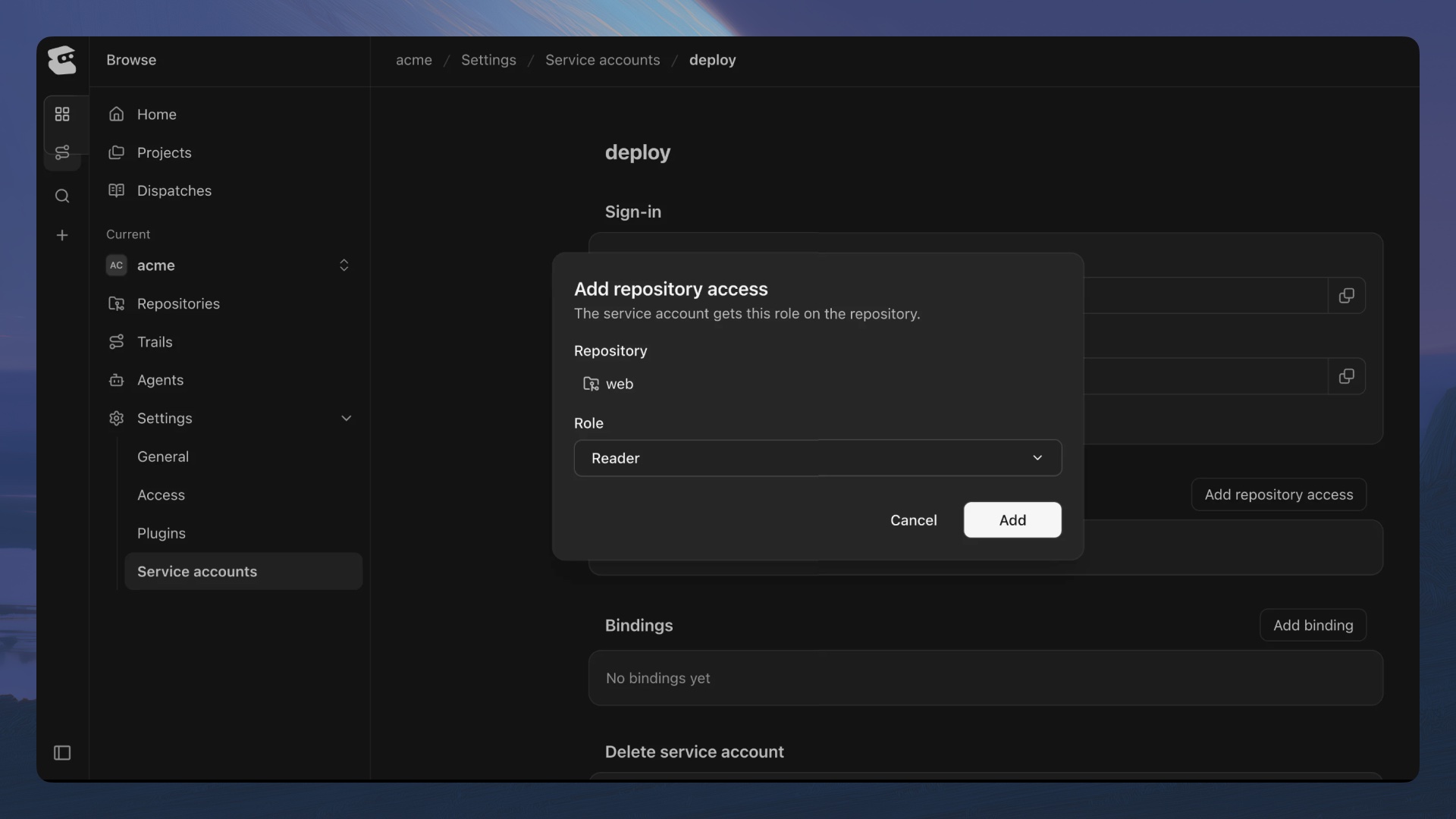
Next, open the service account and, under Repository access, select Add repository access.
-
Pick a repository and a role, then select Add. (To grant access to every repository in the project at once, use the CLI.)
-
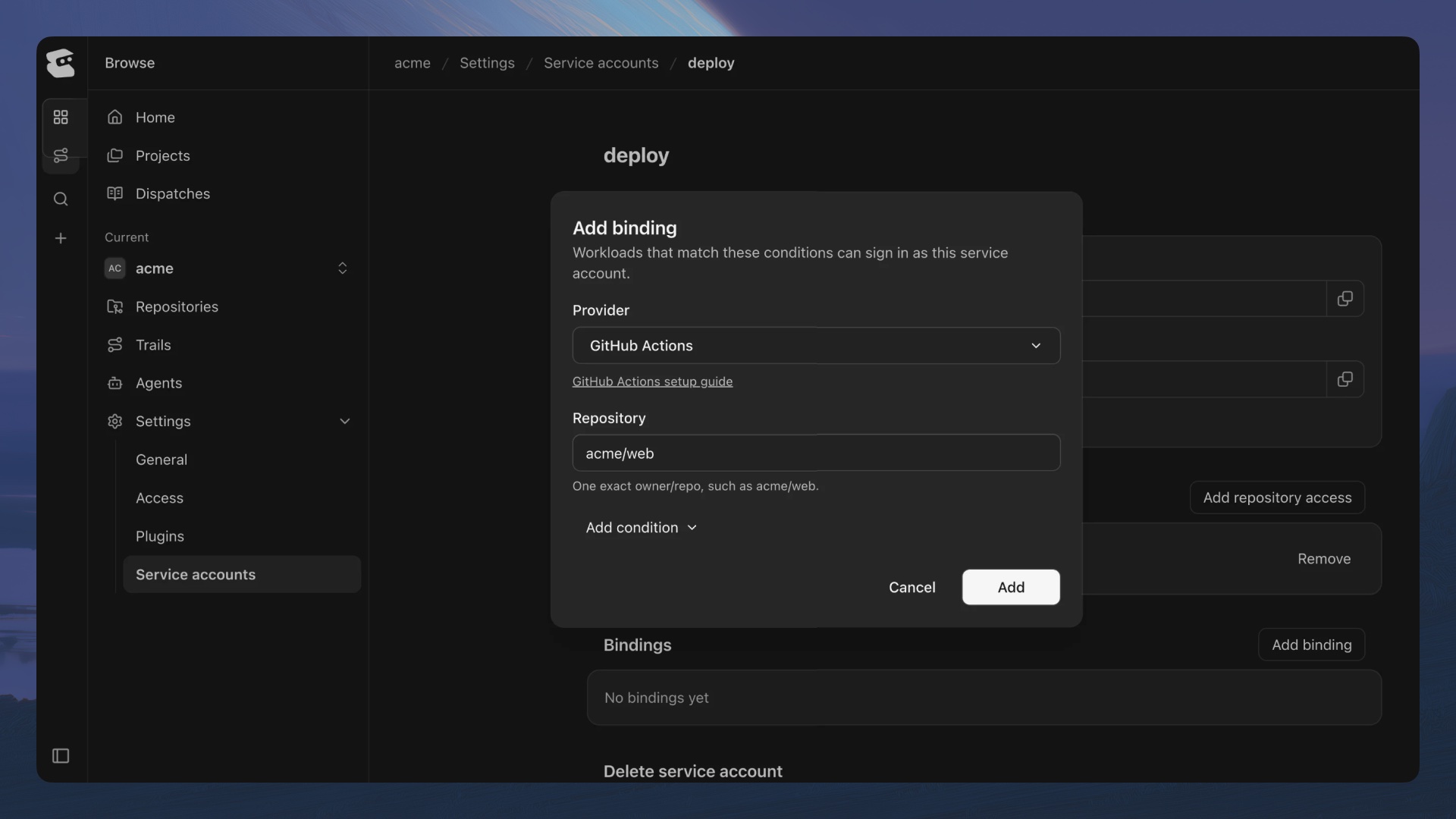
To let GitHub Actions sign in without a secret, go to Bindings, select Add binding, and choose the provider. Each field is a pin (a value the job's token must match), such as your repository name.
-
You can also lock it to a branch by selecting Add condition. For GitHub Actions, the page then hands you the exact workflow step to paste in.
Set It Up from the CLI
From the terminal, you need to use the command , or its alias . For example, you can create a service account called nightshift in the rebellion project, with write access to a repo called hangar, signing in from GitHub Actions. To do so, you’d need to use the below commands:
-
Create the service account:
$entire service-account create rebellion nightshift -
Give it access to one repository (or use
--projectfor all of them):$entire service-account grant rebellion/nightshift --repo hangar --role writer -
Bind GitHub Actions so its jobs sign in with no secret at all:
$entire service-account bind rebellion/nightshift --provider github-actions --pin repository=rebellion/hangar
If you are running somewhere without OIDC, you can create a secret instead. It prints once, so send it straight to a secure file or your secret store:
$entire service-account secret create rebellion/nightshift > nightshift.secret
export ENTIRE_TOKEN="$(cat nightshift.secret)"
entire repo clone /et/rebellion/hangar
Secrets last 90 days by default, or anywhere from 1 to 365 days with --expires-in-days. Each service account can hold two unexpired secrets, so you can roll a new one before retiring the old. Read about all this and more, including raw token exchange for any HTTP client, in our docs.
Join the Rebellion
More coming soon, so watch this space. Now, if you'll excuse me, I have a few personal access tokens to go revoke. As always, bring questions, bugs, and jokes to Discord.