Track Neon Sessions and Keep Context Across Models with Entire
I switch models a lot and then a week later, I’m looking at a diff thinking, “Why did my agent do that?” Entire saves the conversation behind the change, and then entire-brain gives the next agent a way to look it up.
This week, I’ve been loving Gemini’s new Neon model. So let’s try it out on a Warriors watch party food planner.

Before You Start
You’ll need Antigravity CLI with Neon access, Entire CLI, Python 3, and a Git repo with at least one commit before you launch the agent. Run the commands from that repo’s root.
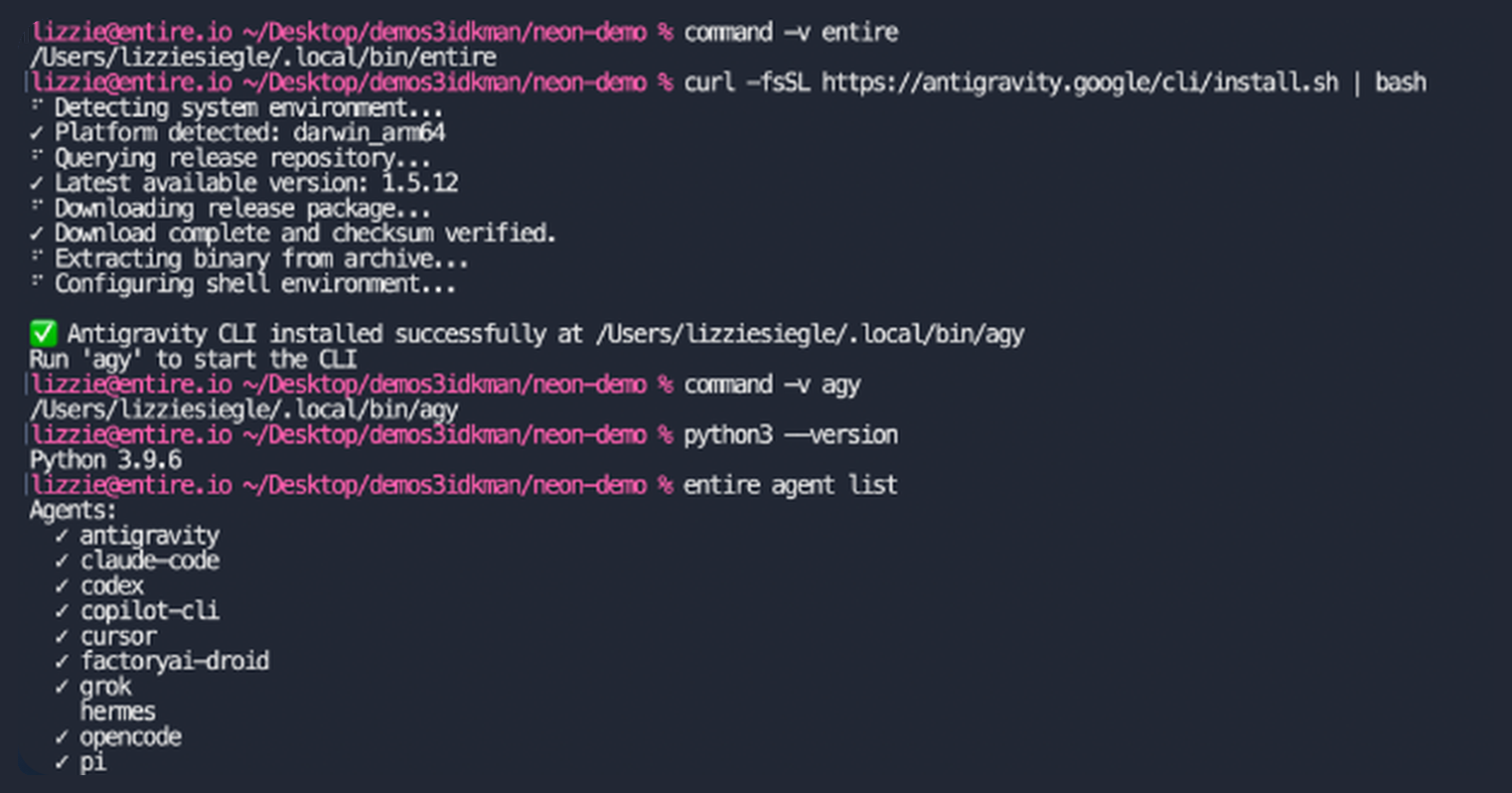
Connect Entire and Launch Neon
Enable tracking, then launch Neon from the repository root:
entire enable --agent antigravityagy --model gemini-4-neon-highIf Entire is already enabled, replace the enable command with .
Let Neon Handle the Snack Math
Paste into Antigravity:
Create watch_party.py with plan_watch_party(guests, vegetarians). Return quantities for 4 veggie pinwheels and 2 fruit skewers per guest, plus 2 chicken sliders per non-vegetarian guest. Keep zero quantities. Use finger foods without peanuts. Require guests > 0 and 0 <= vegetarians <= guests; reject non-integers and booleans. Add test_watch_party.py using unittest; test mixed and all-vegetarian groups plus invalid inputs. Run the tests. Don’t commit yet.
Check Capture, Then Commit
entire session listRun this command in another terminal in the same repo. If your session is missing, check the first commit and restart Antigravity after hook setup.
Read the files and test results, then ask your agent to commit only watch_party.py and test_watch_party.py. Now peek at the conversation with:
entire checkpoint explain --commit HEAD --fullYou should see a checkpoint, your prompt, and the response. Mine had the snack math and the passing test results!
Switch Models, Keep the Context
Since the planner worked so well, I decided to add a grocery checklist and switch models without repeating the food rules.
To try the handoff, commit any follow-up work you want captured, then review and commit the generated Entire config. From a clean worktree, run the first command if Brain isn’t installed, then start Brain:
curl -fsSL https://raw.githubusercontent.com/entireio/entire-brain/main/scripts/get-brain.sh | bashentire brainSetup can finish with some sources unavailable. Before passing the baton, check what the handoff actually contains:
entire brain brief --handoffFor checkpoints created after setup, run first. Exit Neon and start a fresh session with another model available to your account–here, I used Carbon.
agy --model gemini-4-carbonThen ask:
Use Entire Brain to find the planner session. Summarize its rules with sources before editing. If retrieval is empty, say so and inspect the saved checkpoint and files. Distinguish uncommitted work from checkpointed history.
In my run, Brain returned only a session heading. Carbon recovered the rules from the saved checkpoint and project files instead.
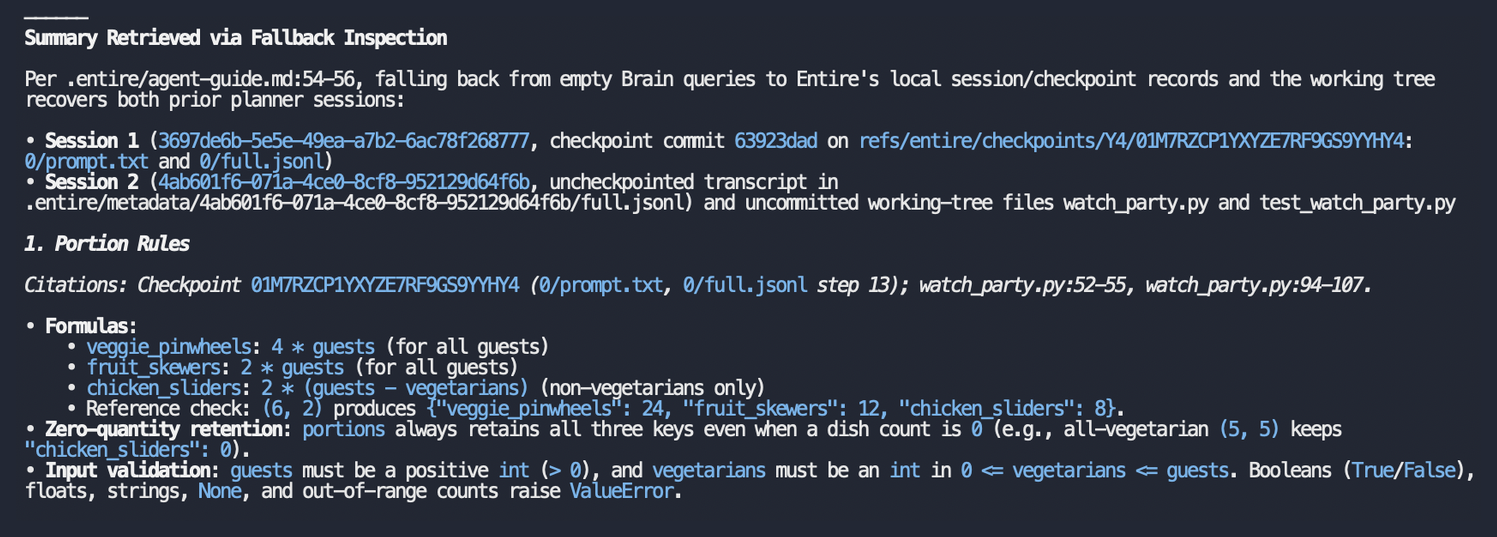
New Model, Old Game Plan
As you hand off from model to model, check what the new model actually found before asking it to keep coding. If something’s missing, start with for capture or for retrieval.
Try it yourself and tell us what you’re building on our Discord, and Go Warriors!